How to Keep Your Live Stream Viewers Watching Longer: 7 Retention Tips
Viewers click in but leave within minutes? Learn 7 practical ways to keep your live stream audience watching longer and more engaged.

You hit the "Go Live" button, watch the notification fire, and feel a surge of excitement as your viewer counter ticks up. Five minutes later, that number slides right back down to where it started. Getting someone to click on your broadcast is only half the battle; the real challenge is convincing them to stay. In a landscape filled with endless entertainment choices, online audiences make split-second decisions about whether your channel deserves their attention. If your broadcast feels stagnant, chaotic, or unwelcoming during those crucial early moments, viewers will silently click away to someone else's stream.
Viewer retention is the true engine of channel growth. Algorithms on streaming platforms favor broadcasts that hold viewer attention over long stretches, and loyal communities are built by people who stay long enough to become part of the culture. Here are seven practical tips to keep your audience engaged and watching longer.
1. Master the First Fifteen Seconds of Entry
Most viewers decide whether to stay or bounce within seconds of loading into your room. If they land on a quiet screen, an extended "Starting Soon" card with no audio, or a creator staring blankly while waiting for chat messages, they leave immediately. Treat every single moment of your broadcast as if a new viewer just arrived at that exact second.
Example: Instead of sitting in silence while waiting for your match to load or your software to render, narrate your internal monologue. Say something like, "We just finished setting up the foundation for our base, and right now I'm debating whether we should venture into the caves or stockpile food for the upcoming night cycle." This immediately gives newcomers context without requiring them to ask what is happening.
2. Build Intentional Micro-Goals and Narrative Arcs
Television shows keep viewers glued through commercial breaks by opening story loops that demand resolution. Live streams should work the same way. When a broadcast feels like an aimless, open-ended marathon, viewers feel comfortable leaving at any time. When you introduce clear, self-contained objectives, people stay because they want to see how things turn out.
Example: Rather than naming your stream "Chill Gaming Stream," frame it around a tangible challenge: "Can we climb from Gold to Platinum in under three hours without losing a match?" Put a simple tracker or checklist on your screen so casual viewers instantly understand the stakes and want to stick around for the climax.
3. Acknowledge Chat Without Derailing the Action
Interacting with your audience is the primary advantage live streaming has over recorded video, but poor execution can actually hurt retention. Pausing your gameplay, creative process, or conversation mid-sentence to read long paragraphs from chat creates awkward stalls for everyone else watching. The goal is seamless integration where chat acknowledgment enhances the broadcast rather than halting it.
Example: Practice weaving chat responses directly into what you are doing on screen. If a viewer asks about your strategy while you are playing an intense encounter, respond verbally while keeping your hands moving: "Great question, Alex—I usually pick this build because of its mobility, which helps when dealing with fast flankers like the one right in front of us."
4. Create On-Screen Rewards for Community Participation
Viewers stay longer when they feel like active participants shaping the broadcast rather than passive observers. When audience members see their actions celebrated publicly on screen, it triggers a communal ripple effect where everyone wants to join in the momentum. Giving your audience direct ways to interact, support, and stand out transforms lurkers into invested supporters.
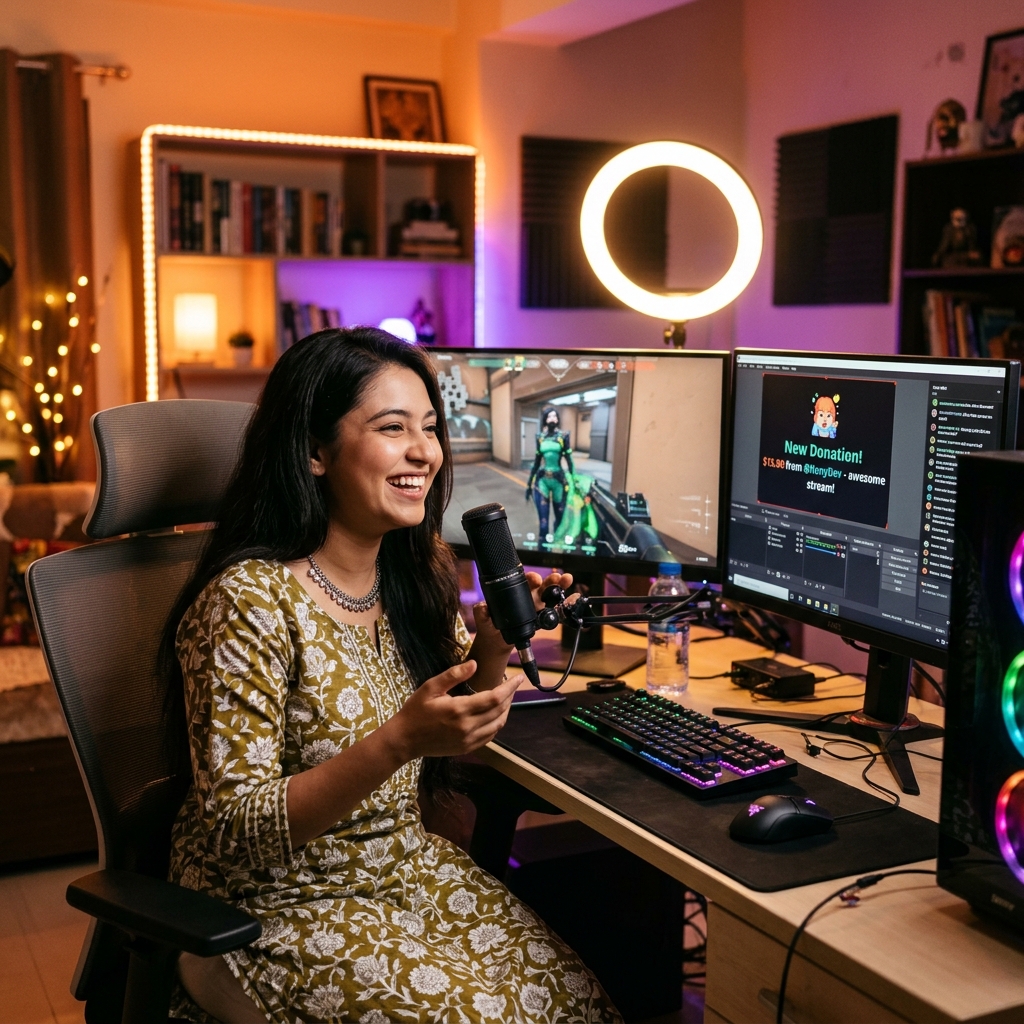
Example: Streamers who set up seamless creator support through SuperChat BD can highlight incoming viewer messages, tips, and custom alerts in real time. When an alert triggers a memorable sound effect, an animated on-screen badge, or a personalized creator shoutout, it creates mini-celebrations that keep viewers excited to see what community milestone will be unlocked next.
5. Tease Upcoming Segments Before Taking Breaks
Natural lulls are retention killers. Whether you need to grab water, step away for a quick restroom break, or switch games, viewer numbers tend to plummet during transitions. You can prevent this drop-off by pre-framing what is coming immediately afterward so viewers have a compelling reason to wait through the downtime.
Example: Before stepping away for two minutes, never just say "BRB." Instead, build anticipation: "I'm grabbing a glass of water, and the second I get back, we are opening the community prize packs and reviewing viewer submissions. Don't go anywhere—this next segment is going to be wild."
6. Eliminate Dead Air with a Running Cue Sheet
Dead air makes a stream feel awkward and unprepared. When you stop speaking for twenty or thirty seconds, new visitors assume the stream is low-energy or abandoned. Keeping your vocal momentum going throughout an entire multi-hour broadcast is challenging, which is why professional creators rely on preparation rather than pure improvisation.
Example: Keep a digital notepad or sticky note on your secondary monitor with three to five talking points, hot takes, or funny real-life stories from your week. Whenever your game slows down or chat goes quiet, glance at your cue sheet and kick off a prompt: "You know, something bizarre happened at the grocery store yesterday that got me thinking about..."
7. Protect and Respect Your Lurkers
A massive portion of any stream's audience consists of lurkers—people who watch while cooking dinner, working, studying, or winding down for bed. They enjoy your presence, but they do not want to chat. Putting pressure on silent viewers by reading the viewer list out loud or demanding that everyone say hello pushes these quiet supporters away.
Example: Address your lurkers warmly as a collective group without calling out individual usernames: "A big shoutout to everyone working, doing homework, or just lurking in the background today—I appreciate you having the stream on while you get things done." This makes them feel valued and safe to remain in your room undisturbed.
Frequently Asked Questions
How can I tell at what point viewers are leaving my stream?
Most major streaming platforms provide post-stream analytics dashboards displaying average watch time and viewer count graphs over the course of your broadcast. Review these charts alongside your stream recording to identify specific moments—such as technical glitches, prolonged silence, or sudden category switches—where viewer numbers dropped sharply.
Should I end my stream early if viewer numbers drop to zero?
No, you should never shut down simply because your counter dips. Treat zero-viewer moments as an opportunity to practice commentary, refine your pacing, and create clean video segments that can be clipped and repurposed for short-form video platforms. Viewers who discover your stream later will stay longer if they walk into an active, energetic broadcast rather than someone visibly waiting for numbers to rise.
Does having a strict schedule really improve viewer retention?
Yes. Consistency builds habits. When viewers know exactly what days and times you go live, they plan their personal routines around your broadcasts. A predictable schedule turns occasional drop-in visitors into habitual, long-term viewers who show up early and stay until the very end of your stream.